Adding Checkpoints to a NUS List to Monitor Sample Stability
Non-Uniform Sampling (NUS) is a powerful way to shorten experiment time in multidimensional NMR. However, long acquisitions can still lead to sample degradation: proteins may aggregate, denature, be cleaved, or precipitate over time. All of this affects your FIDs and, consequently, the final spectrum.
A simple and effective way to monitor sample stability during a NUS experiment is to introduce checkpoints into the NUS list: special entries containing 0 0 that repeatedly record the first point of the FID. By examining these repeated first FIDs, you can decide whether to stop the experiment, or later truncate data acquired after the sample started degrading.
This tutorial explains:
- why these checkpoints are useful,
- how to identify and extract the first FID,
- and how to edit the NUS list in TopSpin to add
0 0lines at regular intervals.
1. Concept: Using 0 0 Checkpoints in the NUS List
When you open a NUS list file, you will typically see that the first line contains only 0 0. This entry instructs the spectrometer to record the first point of the FID, i.e., the very first time point at the beginning of the experiment, when the sample is still fresh and the signal is optimal.
As the experiment progresses, the sample may start to degrade. This degradation can be seen—at least roughly—in the FID (for example, aggregation often leaves a recognizable signature).
By inserting additional 0 0 entries at regular intervals in the NUS list (for example, every 500 lines), the spectrometer will repeatedly re-measure that first FID point over the course of the acquisition. Comparing these repeated first FIDs allows you to:
- monitor the decay or deterioration of the sample in time,
- decide whether to stop the experiment if degradation becomes severe, or
- during post-processing, truncate the last part of the data that corresponds to the time period when the protein was already degraded and the recorded signals were wrong or contaminated (e.g., by degradation or aggregation products).
2. Identifying Which FID to Extract
The way you extract the first FID depends on the pulse sequence and acquisition mode.
2.1 Pulse sequences without echo/antiecho
For pulse sequences that use only States or States/TPPI and do not use echo/antiecho acquisition, you can extract the first FID with:
rser 1
This reads the first FID and lets you inspect whether the signal looks as expected.
2.2 Pulse sequences with echo/antiecho
For pulse sequences measured with echo/antiecho mode, the situation is slightly more complex because some sequences first measure the imaginary part of the signal.
Proceed as follows:
- Try
rser eao 1and see whether there is a clear spike or meaningful signal. -
If
rser eao 1shows almost a flat, fluctuating line with no obvious signal, then try:rser eao 2This often extracts the meaningful FID when the first acquired one corresponds to the imaginary part.
By checking these FIDs, you confirm which series you should use as your reference for monitoring sample stability.
3. Editing the NUS List in TopSpin
Once you know which FID to monitor, you can modify the NUS list so that it periodically records the first FID using 0 0 entries.
3.1 Open the NUS list from ACQUPARS
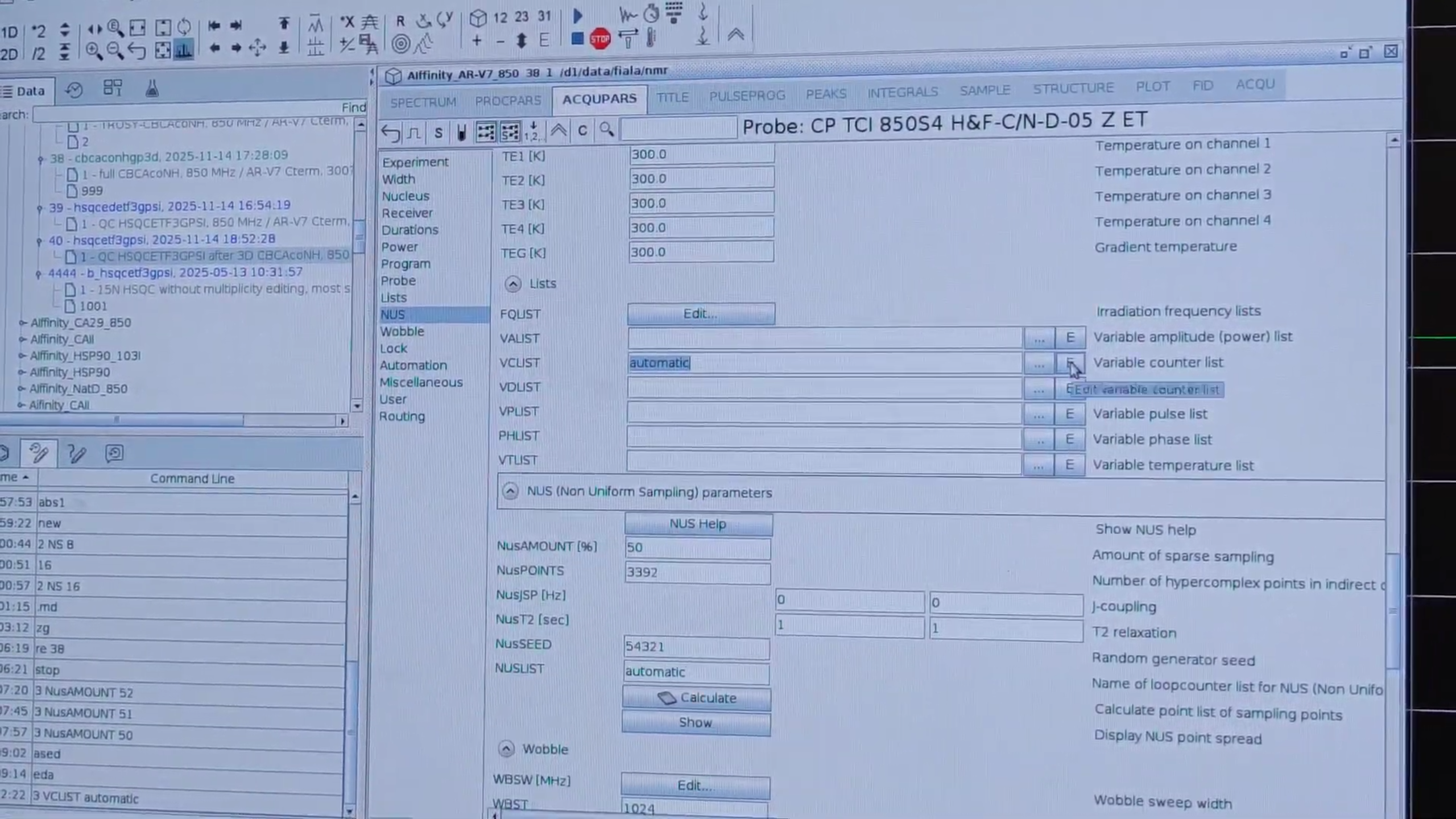
- Open the ACQUPARS window.
- Go to the Lists section.
- In the field VCLIST, type
automatic. - Click on the
Ebutton to edit the NUS list.
3.2 Insert periodic 0 0 checkpoints
In the NUS list editor:
- Choose an interval that suits your experiment duration and your tolerance for degradation — for example, every 500 lines (this number is arbitrary; you can choose your own).
- After every such block of lines, insert a new line that contains exactly
0 0.
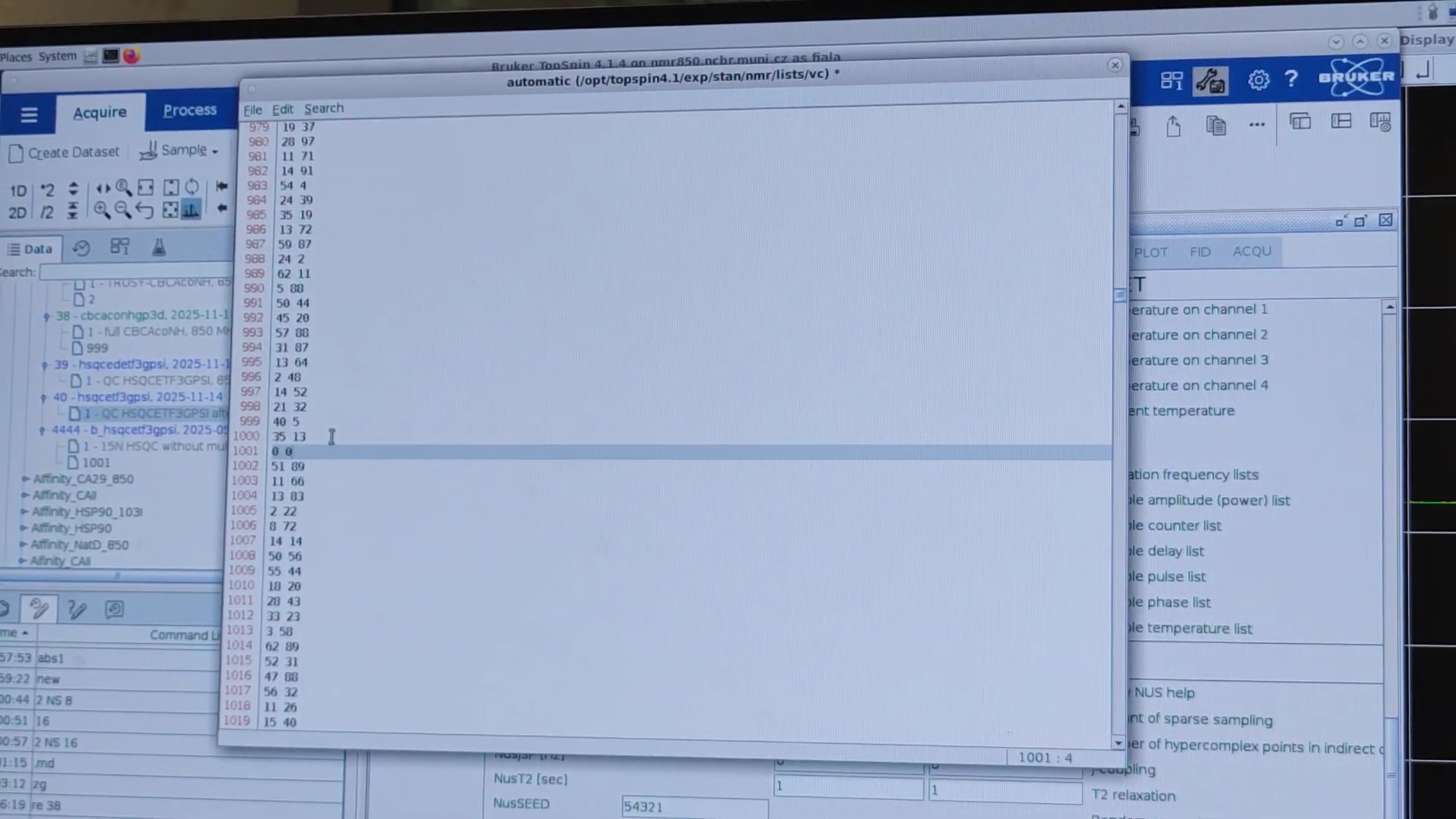
Also add a final 0 0 at the end of the file. This ensures that the last checkpoint reflects the state of the sample near the end of the acquisition.
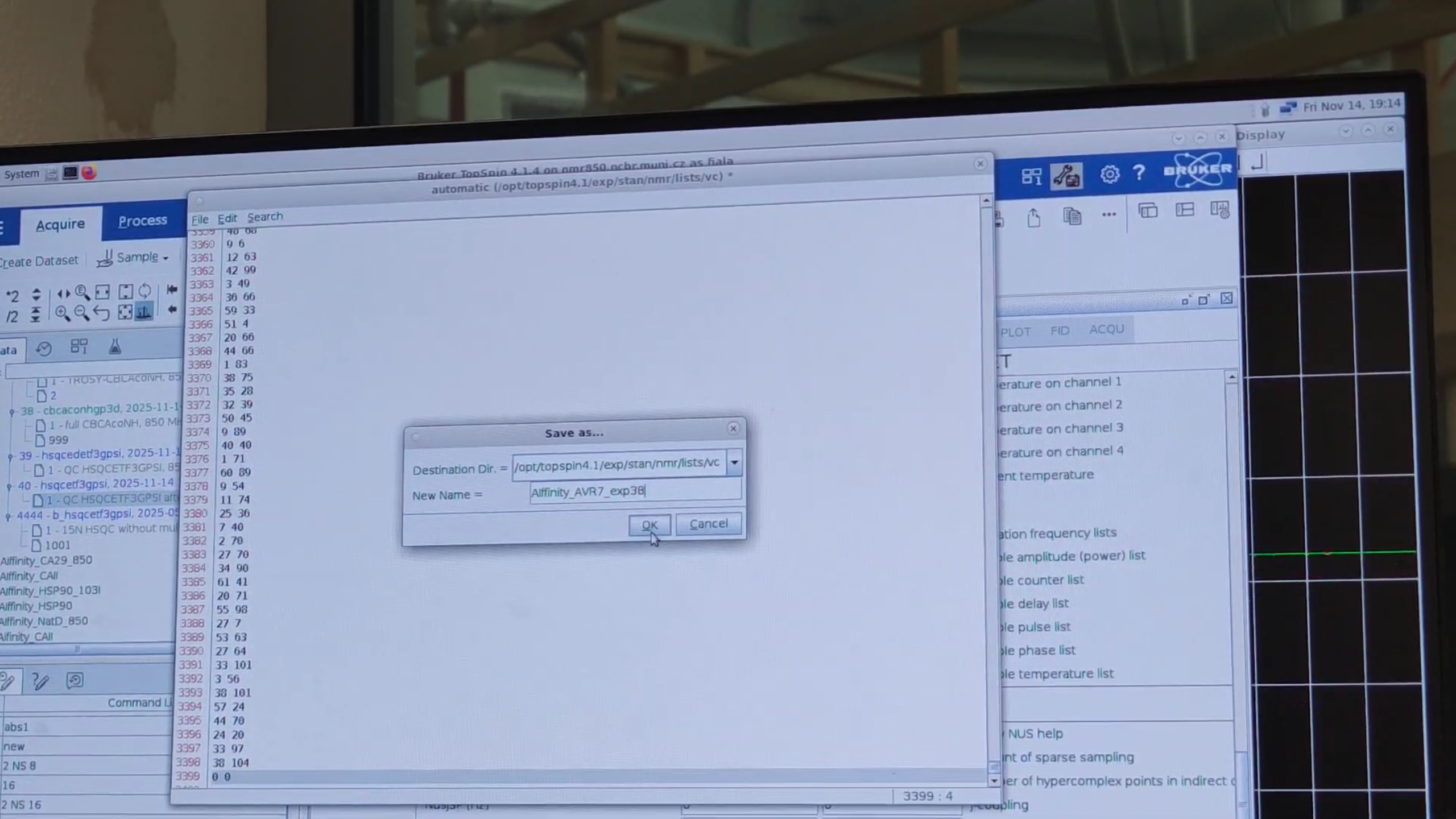
When you are done:
- Use the menu File → Save As and choose a filename, for example
AIffinity_AVR7_exp38.
3.3 Update NUS acquisition parameters
Back in the acquisition parameters:
- Set
NusPOINTSto the number of lines in the NUS list fileAIffinity_AVR7_exp38(3399 in this example). - Set
NUSLISTto the filenameAIffinity_AVR7_exp38.
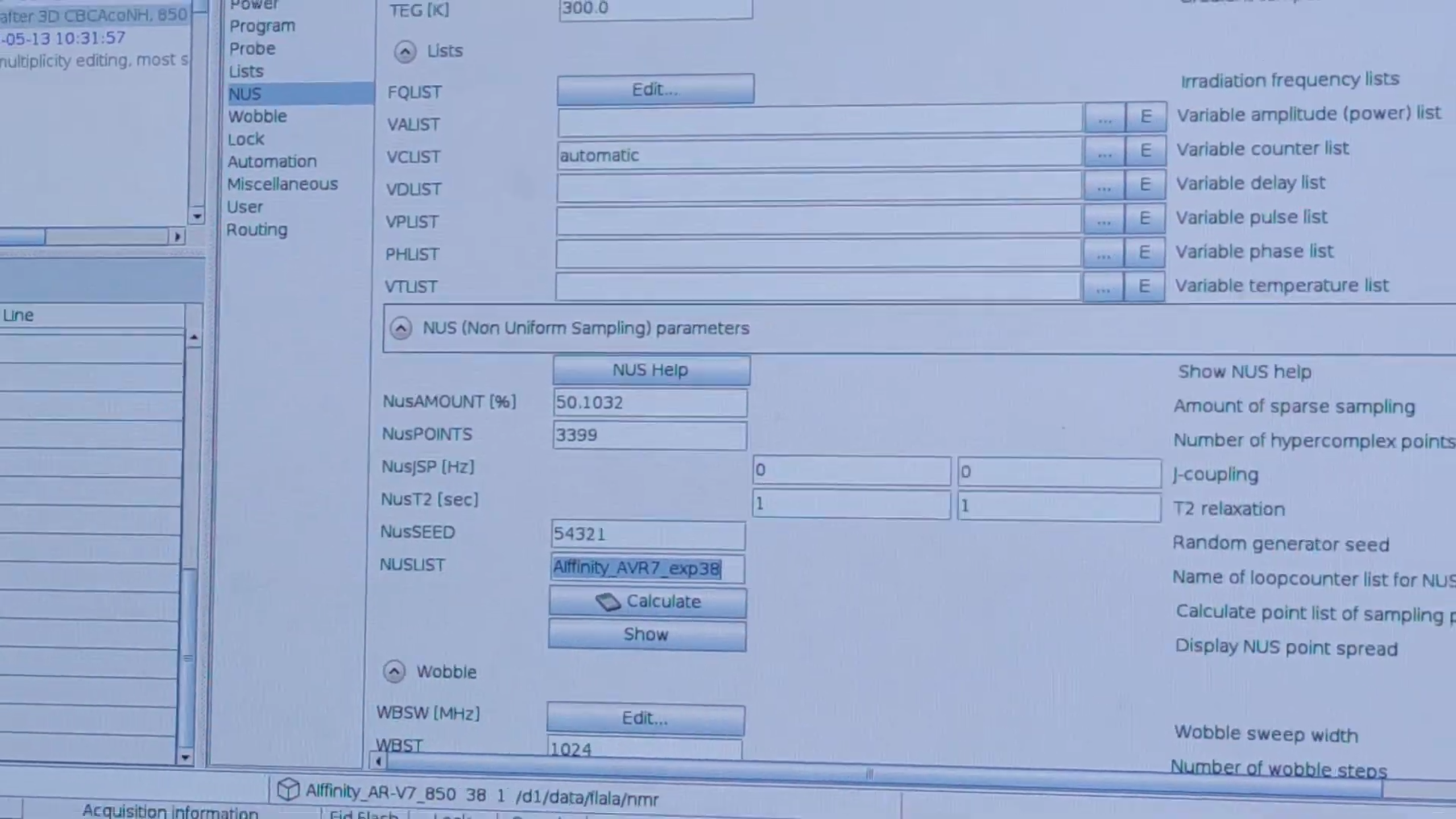
Now the spectrometer knows how many NUS points to expect and which list to use.
4. Starting the Acquisition
After updating the NUS parameters and verifying the list, you are ready to start the acquisition using the command zg.
From this point on, the spectrometer will periodically re-measure the first FID via the 0 0 entries in the NUS list. Later, by inspecting the evolution of these FIDs over time, you can assess sample stability and decide whether to truncate degraded portions of the data during processing.
Authors
- Thomas Evangelidis